Professional 3D animation and modeling solution
Autodesk Maya provides a versatile environment for designing detailed characters, engaging worlds, and cinematic-quality visual effects. Its animation, modeling, and simulation features are vital for professionals in film, gaming, and interactive media, offering precise control and creative flexibility. The software empowers users to execute complex projects while maintaining artistic accuracy and consistency across different tasks.

Unlock your creativity with Adobe Stock
Get 10 images or 1 video with a free trial
Equipped with advanced tools like rigging, dynamics, and rendering, Autodesk Maya supports both individual and team-based workflows. Its adaptable toolset ensures smooth performance even in large-scale productions, making it an essential solution for high-quality 3D content creation in professional settings.
Advanced tools for 3D content creation
Autodesk Maya provides robust animation, modeling, and simulation features that manage intricate character rigs and complex visual effects efficiently. Its rendering tools ensure professional-quality outputs, supporting both detailed projects and high-volume production. Alternatives like Blender or 3DS Max offer comparable functionality, yet this software remains a preferred choice for studios and creators requiring precision, reliability, and streamlined workflows that enhance productivity for teams and individual artists alike.
Collaboration is enhanced through cloud-integrated workflows and efficient asset management tools, enabling seamless teamwork across projects. Real-time updates support iterative design, ensuring changes are implemented smoothly and accurately. While some advanced plugins require separate licensing, the environment remains approachable for small studios and professionals alike, offering a comprehensive, reliable solution for animation production. Its balance of accessibility and robust functionality makes it ideal for varied creative workflows.
Its intuitive interface and responsive toolset let users concentrate on storytelling, scene composition, and character development without cumbersome setup. Despite relatively high system requirements, the software delivers stable, precise, and consistent performance across demanding projects. With capabilities in 3D modeling, rigging, and animation, it provides a dependable solution that few competitors match, combining robust functionality with smooth workflow integration for professional creators and studio environments.
Comprehensive solution for 3D professionals
Autodesk Maya is essential for studios and creators who need advanced animation, modeling, and simulation tools. Its complete feature set, reliable performance, and collaborative workflow support allow efficient production of high-quality content. For professionals prioritizing precision, creative control, and workflow efficiency, this software delivers robust capabilities that streamline complex 3D projects while maintaining consistent output across all production stages.
Autodesk Maya is a highly professional solution for 3D modeling, animation and rendering in one complete and very powerful package.
It has won several awards for professionalism and power and is one of the leading industry 3D animation packages. One of the reasons for this is that Autodesk Maya offers a huge amount of objects and effects to work on your projects and because Autodesk Maya is based on an open architecture, all your work can be scripted or programmed using a well-documented and comprehensive API (Application Programming Interface) or one of two embedded scripting languages, the Maya Embedded Language (MEL) or Python.
This combination of of openness combined with industry standard 3D visual effects, computer graphics, and character animation tools is more than enough for professional film, television, game development, and design projects.
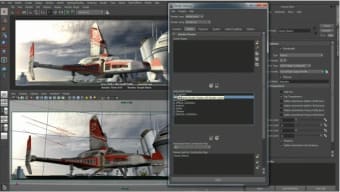
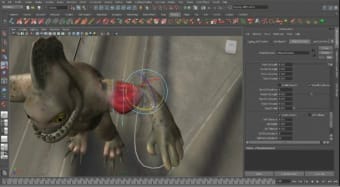
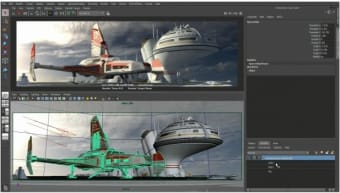
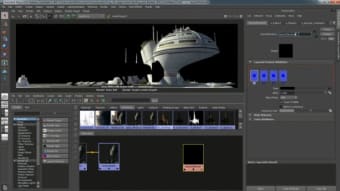
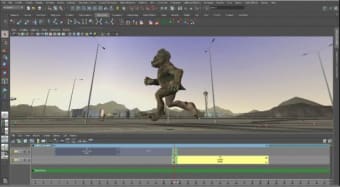
Although beginners will be completely lost at the beginning, the Autodesk Maya interface is surprisingly well organized for such a huge application and different elements such as dynamics, animation or polygons are directly accessible via tabs. Within these are advanced editing features in fields like rendering, animation and relationships. Finally, the Timeline is at the bottom of the interface and allows you to animate and control the evolution of your modeling project.
If you are new to Autodesk Maya however, there are lots of video tutorials and tips on startups about how to use it. These will teach you a number of things like rotating, keyframe animation, component selection and preview rendering. The Help menu is also full of further tutorials and offers links to extra learning resources.
Note that to get the best out of Autodesk Maya, you do need a three buttoned mouse to complete all of the actions possible. Although Autodesk Maya 2012 isn't a huge change from 2011, it offers plenty of powerful new features and has fixed many of the bugs in the previous release.
Autodesk Maya is a solid 3D modeling application that still keeps setting the industry standards.